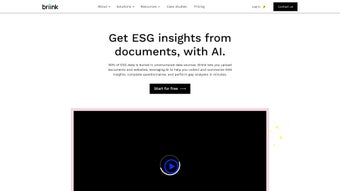

Download Briink – AI‑Powered ESG Document Analyzer for Secure, Fast, and Free Extraction
Overview
Briink is a cutting‑edge, AI‑driven software application built specifically for ESG (Environmental, Social, Governance) teams that need to turn massive piles of unstructured sustainability data into clear, actionable insight. In a regulatory environment where investors, regulators, and stakeholders demand transparent, data‑rich disclosures, the majority of ESG information still lives hidden inside PDFs, HTML pages, annual reports, and third‑party websites. Manual extraction of that content is not only time‑consuming but also prone to human error, which can lead to inaccurate reporting and missed compliance deadlines.
Briink eliminates these challenges by leveraging advanced natural language processing (NLP) and machine‑learning models capable of reading, understanding, and classifying ESG‑relevant content across dozens of globally recognised frameworks, including GRI, SASB, TCFD, the EU Taxonomy, and CDP. The platform automatically extracts data, validates it against the latest regulations, populates ESG questionnaires, and highlights gaps that require further investigation. Whether you are a corporate ESG analyst, a consultancy, or an impact‑focused investor, Briink delivers a secure, scalable solution that accelerates data collection, improves assurance quality, and frees up valuable analyst hours for higher‑value strategic work.
The intuitive dashboard provides real‑time monitoring of extraction progress, drill‑down capabilities for individual document sections, and export options compatible with most reporting tools. By centralising ESG data extraction, Briink also strengthens data governance, ensuring every piece of information is traceable, auditable, and stored in a single, searchable repository. In short, Briink transforms the daunting task of ESG data mining into a fast, reliable, and repeatable process that keeps your organisation ahead of compliance deadlines and investor expectations.
Key Features
- AI‑powered extraction of ESG data from PDFs, Word files, HTML pages, and scanned documents.
- Built‑in support for major ESG frameworks (GRI, SASB, TCFD, EU Taxonomy, CDP, and more).
- Automated questionnaire generation and auto‑population for ESG surveys.
- Real‑time gap analysis and compliance scoring against regulatory standards.
- Batch processing of thousands of documents simultaneously.
- Secure cloud‑based storage with end‑to‑end encryption and GDPR compliance.
- Customisable extraction rules and user‑defined taxonomy.
- Export options: CSV, Excel, JSON, and direct API integration.
- Version control and audit trail for every extraction session.
- Multi‑user collaboration with role‑based access control.
Each feature of Briink has been engineered to address the most common pain points experienced by ESG professionals. The AI engine continuously learns from user feedback, improving its accuracy over time and reducing false positives that can plague traditional keyword‑search tools. Because Briink understands context, it can differentiate between a company’s carbon‑reduction target and a generic sustainability statement, ensuring extracted data is both relevant and reliable.
The batch‑processing capability is a game‑changer for large enterprises that must ingest dozens of annual reports each quarter; a single click can launch the analysis of an entire folder, with progress visualised on a clean, colour‑coded dashboard. Security is baked in: all data is encrypted at rest and in transit, and the system complies with ISO 27001, SOC 2, and GDPR standards, giving peace of mind to data‑sensitive organisations. Export functions are flexible enough to feed directly into reporting tools like Power BI, Tableau, or custom ESG dashboards via API, eliminating manual data re‑entry.
Finally, role‑based access control ensures analysts, managers, and external auditors see only the information they need, maintaining confidentiality while promoting collaboration.
Installation, Usage & Compatibility
Installation & Usage Instructions
Getting started with Briink is intentionally straightforward, whether you choose the cloud‑hosted subscription or an on‑premises deployment for heightened data control. Click the “Download” button on the official website to receive a secure link to the installer package compatible with Windows, macOS, or Linux. Run the installer, accept the licence agreement, and choose an installation directory.
The wizard automatically checks for required dependencies such as .NET 6 (Windows) or the latest Java Runtime Environment (macOS/Linux) and installs them if missing. After installation, launch Briink from the desktop shortcut or terminal command briink. The first launch triggers a brief setup wizard where you create an admin account, configure your preferred storage location (cloud bucket or local NAS), and import any existing ESG data libraries you may already have.
The main dashboard presents three primary tabs: Upload, Analysis, and Reports. To start an extraction, click Upload and drag‑and‑drop your documents or paste a list of URLs. Briink’s pre‑flight check scans each file for language, size, and format compatibility, alerting you to any issues before processing begins. Once queued, switch to the Analysis tab to monitor real‑time progress via a progress bar, estimated completion time, and a log of processed pages. When extraction finishes, the platform automatically categorises the data according to the ESG frameworks you selected during setup.
To generate a report, navigate to the Reports tab, choose a template (e.g., “Quarterly ESG Gap Analysis”), and click Generate. The report is compiled in seconds and can be downloaded as an Excel workbook, PDF, or sent directly to a pre‑configured email distribution list. Power users can also access a RESTful API to trigger extractions programmatically, retrieve JSON payloads, and integrate the output with internal data lakes. The built‑in documentation portal provides step‑by‑step tutorials, video walkthroughs, and a searchable knowledge base, ensuring that even first‑time users become proficient within a single workday. Regular automatic updates keep the AI models current with the latest ESG standards, so you never have to worry about outdated extraction logic.
Compatibility & System Requirements
Briink runs on the most common operating systems used by ESG professionals and IT departments. Official releases support Windows 10/11 (64‑bit), macOS 12 Monterey and later, and major Linux distributions such as Ubuntu 20.04 LTS, CentOS 7, and Debian 11. For organisations that demand on‑premises control, a Docker image is also available, allowing deployment in Kubernetes clusters or private clouds. The software leverages modern hardware acceleration for its AI models, so a CPU‑only installation is possible but slower; for optimal performance, a machine with at least a quad‑core processor, 16 GB of RAM, and an NVIDIA GPU with CUDA 11 support is recommended.
Minimum specifications include:
- CPU: Intel i5 or AMD Ryzen 5 equivalent (or better)
- Memory: 8 GB RAM (16 GB recommended)
- Storage: 2 GB free disk space for the application; additional space required for document repositories (approx. 1 GB per 100 MB of source files)
- Graphics: GPU optional, but beneficial for large‑scale batch processing
- Network: Broadband connection for cloud sync and licence verification
- Dependencies: .NET 6 (Windows) or Java 17 (macOS/Linux) – automatically installed by the installer if absent
Briink integrates seamlessly with enterprise authentication providers such as Azure Active Directory, Okta, and LDAP, enabling single‑sign‑on (SSO) across your organisation. For data‑residency requirements, the cloud‑hosted version offers region‑specific data centres (US‑East, EU‑Frankfurt, AP‑Singapore), ensuring compliance with local privacy laws. If you operate in a highly regulated environment, you can opt for the on‑premises Docker deployment, which isolates all processing behind your firewall and allows you to manage encryption keys directly. In summary, Briink’s flexible compatibility matrix ensures that whether you are a small consultancy using a MacBook or a multinational corporation running a private cloud, the tool can be installed, scaled, and secured to meet your specific ESG data‑analysis needs.
Conclusion, Pros & Cons, FAQ & Call to Action
Pros
- High‑accuracy AI extraction reduces manual data‑entry errors.
- Supports all major ESG frameworks out of the box.
- Batch processing handles thousands of documents efficiently.
- Secure cloud storage with end‑to‑end encryption and GDPR compliance.
- Customisable rules let users fine‑tune extraction to niche requirements.
- Rich export options and API enable seamless integration with existing workflows.
- Role‑based access control promotes collaboration while protecting sensitive data.
Cons
- Initial learning curve for users unfamiliar with AI‑driven tools.
- GPU acceleration is optional but recommended for very large batches, adding hardware cost.
- Advanced custom rule creation may require basic scripting knowledge.
- Full feature set is only available in the paid subscription tier.
Frequently Asked Questions
Can Briink handle scanned PDFs or images?
Yes. Briink includes an OCR (Optical Character Recognition) engine that converts scanned pages and image‑based PDFs into searchable text before applying its ESG extraction models.
Is my ESG data stored securely?
All data is encrypted at rest and in transit using AES‑256 and TLS 1.3. The cloud version complies with ISO 27001, SOC 2, and GDPR, while on‑premises deployments let you manage your own encryption keys.
How often are the AI models updated?
Briink receives monthly model updates that incorporate the latest ESG regulations, framework revisions, and improvements to extraction accuracy. Updates are applied automatically without interrupting your workflow.
Can I integrate Briink with my existing ESG dashboard?
Absolutely. Export formats (CSV, JSON) and a RESTful API allow seamless connection to Power BI, Tableau, or any custom visualisation layer you already use.
Is there a free tier for testing?
Briink offers a free tier that includes up to 50 document extractions per month, providing an excellent way to evaluate the platform before committing to a paid plan.
In today’s fast‑moving ESG landscape, the ability to extract, validate, and report sustainability data quickly can be the difference between regulatory compliance and costly remediation. Briink delivers that capability in a single, secure, and easy‑to‑use package. By automating the most labour‑intensive parts of ESG reporting, you gain more time for strategic analysis, risk assessment, and stakeholder engagement. The free tier lets you test the platform with no upfront cost, while the paid plans unlock unlimited batch processing, advanced customisation, and premium support. If you are ready to modernise your ESG workflow, reduce manual effort, and improve reporting accuracy, Briink is the tool that can get you there.
Download Briink now and start extracting ESG data for free. Experience the speed, security, and intelligence that only an AI‑powered solution can provide.



.png)



